Translate the document.
Keep the layout.
Send a contract, a spreadsheet, a deck or a scan. It comes back in any of 100+ languages, in the same file — tables, columns, type and positions held very close to the original.
This Agreement is entered into between the parties named below and governs the delivery of the services described in Schedule A, effective as of the date of signature.
Este Contrato é celebrado entre as partes indicadas abaixo e rege a prestação dos serviços descritos no Anexo A, com vigência a partir da data de assinatura.
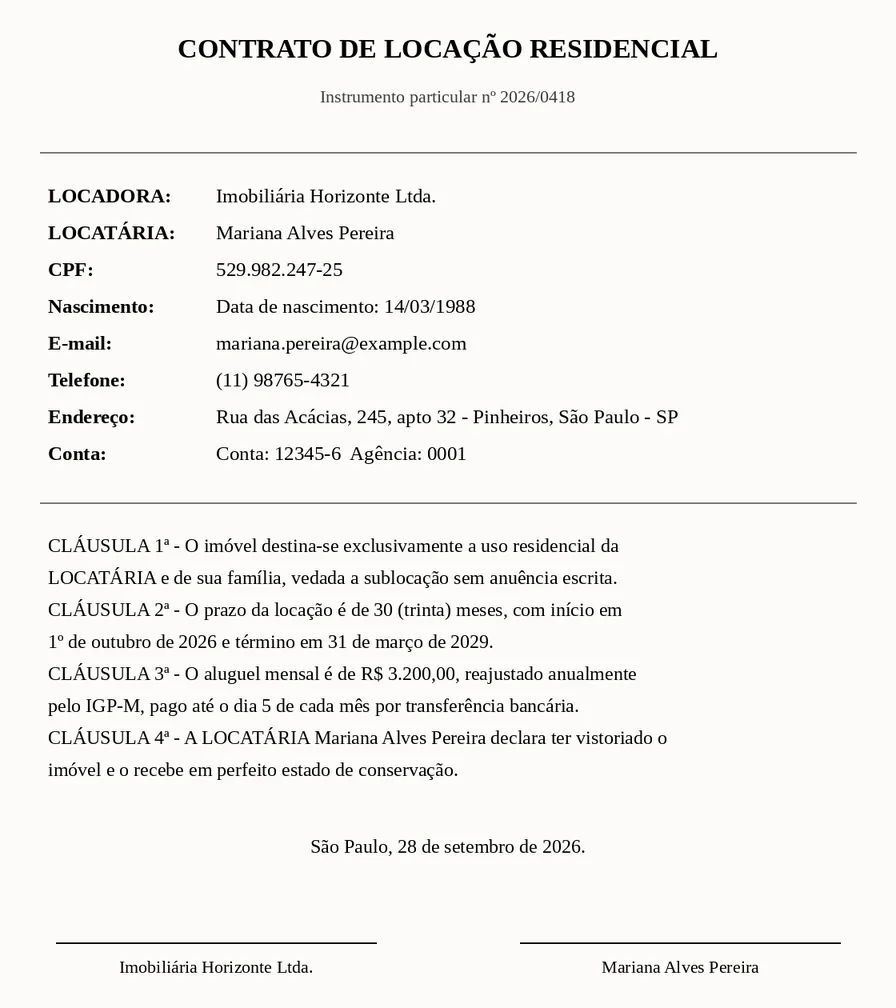
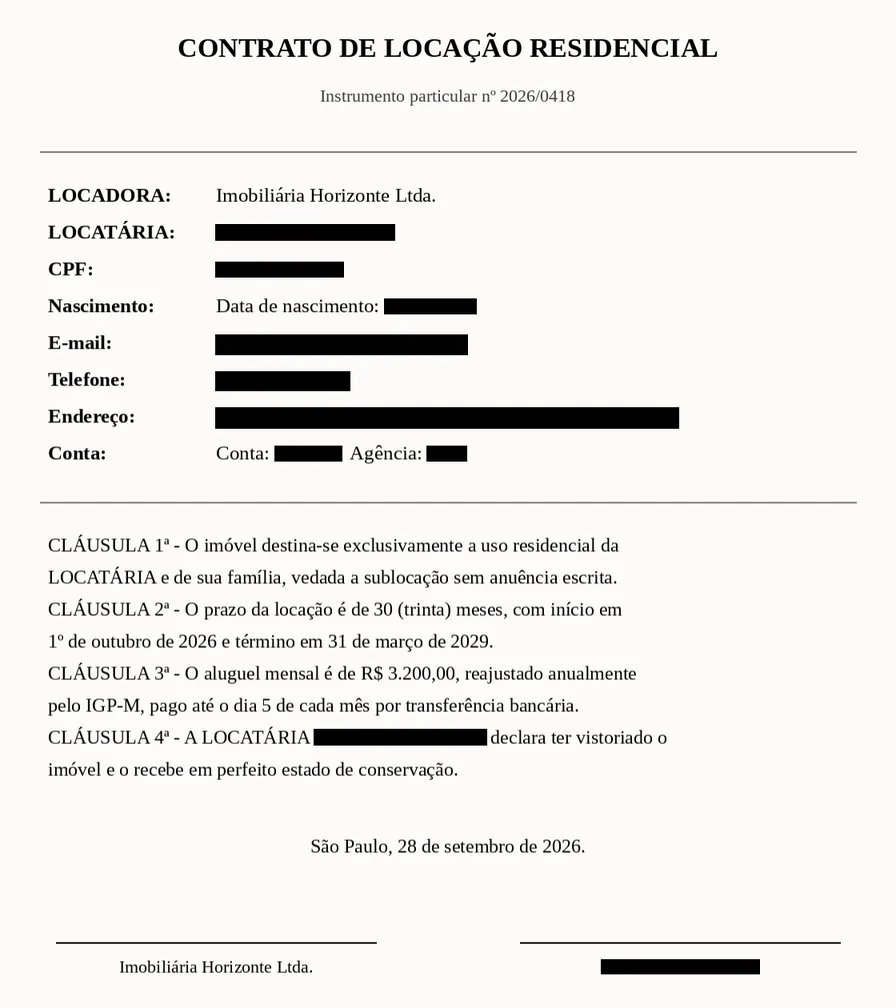
Black boxes that really remove the data.
A black rectangle drawn over a PDF hides nothing: the name is still in the file, one copy and paste away. Tranly takes the personal data out of the file itself, keeps the rest of the page exactly as it was, and checks the result before you download it.
It finds the data for you
Names, ID numbers, e-mails, phones, addresses, dates of birth and bank details, on native PDFs and on scans.
You decide every box
Keep or drop each proposed area, or draw your own over a photo or a signature, before anything is removed.
We prove it left the file
We read the redacted file again: the text layer, the pixels and the metadata. If a covered word is still there, you do not get the file.
On the Pro plan and above. 1 credit a page to find the data; applying it after that is free.
The draft a sworn translator signs.
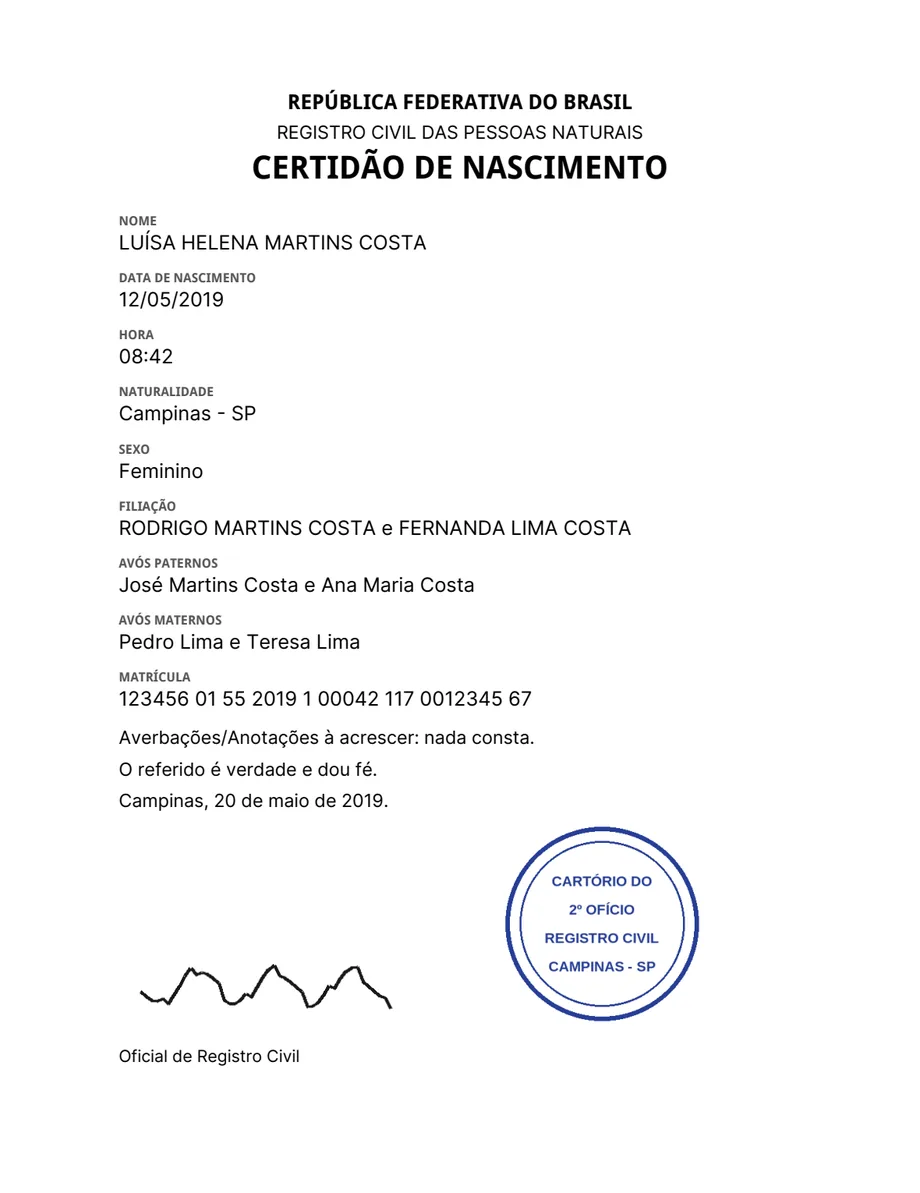
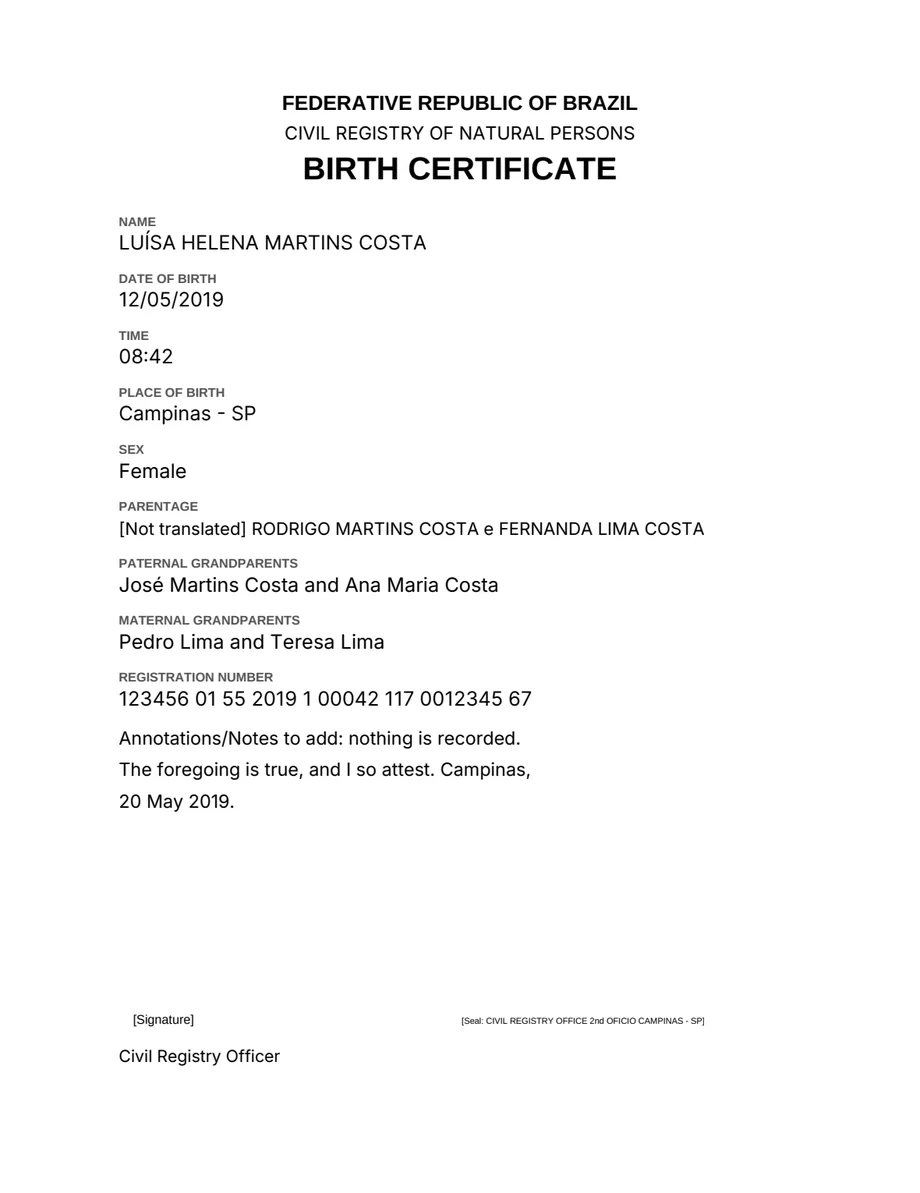
Birth certificates, transcripts, diplomas, driving licences. Tranly makes the draft of the certified translation the way a sworn translator writes it: every fact copied, every stamp described, every line accounted for. You review it in Word and sign.
Every fact copied
Names, dates, registration numbers and amounts stay exactly as printed. Your localization settings do not apply here.
Stamps and signatures described
Each stamp, seal, signature and QR code becomes a description in brackets in the target language, where it stood: [Stamp: …], [Signature].
Nothing left out silently
A line that could not be translated comes back marked, and the result says on which page.
For sworn translators: you review and sign every draft. On the Pro plan and above, at the price of an ordinary page: 1 credit.
One place, every format
Slides, spreadsheets, contracts, scans and subtitles all come back looking like themselves — same layout, same tables, same page order.
Layout fidelity
Tables stay tables, columns stay columns, headers stay on top. Text that grows is fitted to the block it came from.
15 formats in, four out
Office, PDF, images, markup, spreadsheets and subtitles. Download the original rewritten, a PDF, plain text or structured JSON.
Your team's wording
Translation memory at the organization level, plus saved house styles — the same term lands the same way in every document.
Your documents stay yours
What you translate is never mixed with anyone else's. Results are deleted on the schedule your plan sets, and you can export or erase everything whenever you want.
Already have the recording transcribed?
Send us the transcript your recording already produced and it comes back in the new language as the same kind of file — who said what, and when they said it, kept exactly as it was. Nothing to re-run, nothing to re-listen to.
Read the referenceSee what comes back
Public documents anyone can download, sent through the API whole and photographed next to their source — same page, same crop, nothing redrawn. Pick a file type; every note points at something that had to stay exactly where it was.


The three source files are public-domain U.S. government publications — Consumer Financial Protection Bureau, Department of Agriculture, NASA — used here as examples, with no affiliation implied.
Three steps, no setup
No install, no template mapping, no pre-processing. Sign in and drop the file.
Drop the file
Drag it in, or take a photo of a printed page from your phone. Up to 12 MB on every plan.
Pick the language
Optionally pick a saved house style — “formal register, use colaborador” — and the output format.
Download or review
Take the same file back, or open it side by side with the original and leave notes for your team.
Your wording, every time
A style is your house prompt: the voice, the register and the terminology every translation should use. Write it once in plain language — “use colaborador, never funcionário” — save it, and pick it in the translation flow. Developers name the same style by id from the API.
It sits on top of the layout rules, never against them: the wording follows your instruction, the page still comes back looking like the page you sent.
The style picker as it appears in the translation flow — one control, optional, remembered per organization.
The same translations, as an API
One HTTP request. A short document comes back in the response. For a long file or a scan, name a webhook, and the finished document is posted, signed, to your address. Keys, quotas and usage live in the same organization as the web app.
One endpoint, two ways to receive the document
curl -X POST $BASE/translate/document \
  -H "x-api-key: $TRANLY_API_KEY" \
  -d '{"source":{"kind":"pdf","contentBase64":"JVBERi0xLjcKJ..."},
       "targetLang":"pt-BR",
       "outputFormat":"original",
"delivery":"sync"}'content-type: application/json job.status: succeeded job.result.downloadUrl: data:application/pdf;base64,JVBERi0… usage.credits: 12
What happens to your documents
Each item below is a rule the product enforces. The Privacy Policy states each one.
We never train on your documents
No model learns from what you send. The Privacy Policy commits us to it.
Deleted on schedule
Uploads and results are deleted after 1 to 30 days, set by your plan. The shorter window always applies.
Kept apart from every other customer
Your documents and your translation memory belong to your organization. No other account reads them.
Export or erase at any time
Download all your data in one file, or close the account and erase it.
Two-step sign-in
Turn it on for your own sign-in, or require it for your whole team.
Payment through Stripe
Your card goes to Stripe. We never see or store the number.
Full refund in 7 days
Cancel in the first 7 days and get all of your money back, with no questions.
No third-party trackers
This page loads no script, font or tracker from another company.
Pricing
Pages per month, at a monthly price. The same catalogue the app reads, so the price here is the price you pay.
Try it on the document you were about to send out
Twenty-five pages free every month. No card, no sales call, and you keep the result.
Check the translation before you use it. No person reviews it before it comes back, and we do not promise that an official body accepts it.