Certified translation drafts, ready to review.
Send an official document. Tranly copies every name, number and date exactly, describes each stamp, seal and signature in brackets, and marks anything it could not translate. You get an editable Word draft to review and sign.
On the Pro plan and above, at the price of an ordinary page: 1 credit.
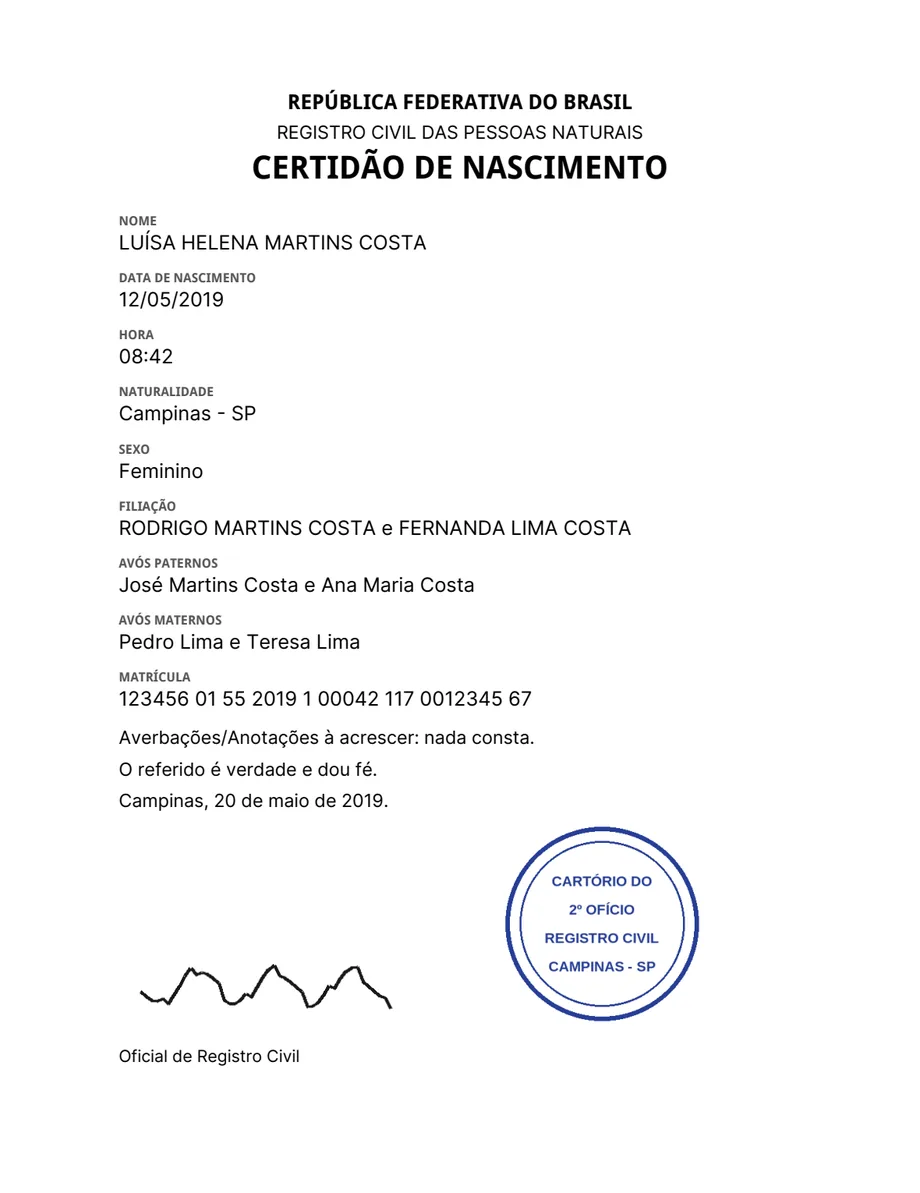
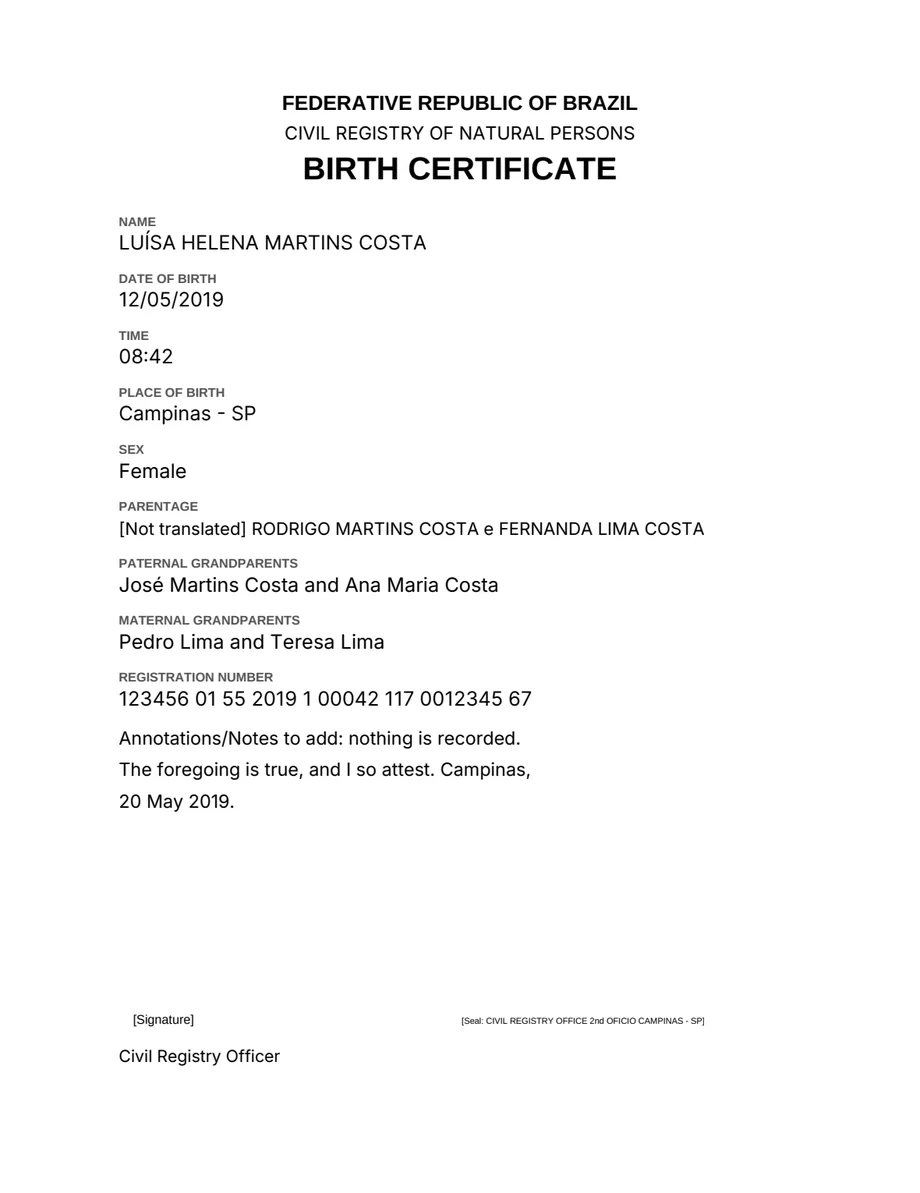
Why an ordinary translation does not serve
A certified translation is a copy of a record. Three things an ordinary translation gets wrong.
The facts change
An ordinary translation writes a date the reader's way and fixes a name's spelling. On a certificate, a date in another order is a different date.
Stamps and signatures vanish
A stamp is ink and text at once. An ordinary translation drops it or turns it into noise, and the record loses its proof.
A forgotten line goes unseen
When one line comes back in the source language, nothing on the page says so. A sworn translator who signs it signs the gap.
What the draft does
Rules that hold on every page, in every language.
Every fact copied
Names, dates, registration numbers and amounts stay exactly as printed. Your localization settings do not apply here.
Stamps and signatures described
Each stamp, seal, signature and QR code becomes a description in brackets in the target language, where it stood: [Stamp: …], [Signature].
Nothing left out silently
A line that could not be translated comes back marked, and the result says on which page.
An editable Word file
The draft comes back as a Word document, scans included, so you edit it before you sign.
Your statement at the end
Add your name and registration, and the draft closes with the translator's statement in the target language. Place and date stay blank for you.
Notary terms, fixed
A fixed glossary of registry, school and driving terms for Portuguese into English, Italian and Spanish.
Three steps, and you sign
The draft does the typing. The translation stays yours.
Send the document
Upload a PDF, a scan or a photo, pick the language, and tick Certified translation. Add your name to get the statement.
Review the draft in Word
Read it against the original. The marked lines and the brackets show where to look first.
Sign and deliver
Fill in the place and the date, sign, and deliver it as you always do.
Made for official documents
The documents a sworn translator receives every week.
- Birth certificates
- Marriage certificates
- School transcripts
- Diplomas
- Driving licences
- Identity documents
The fixed glossary covers Portuguese into English, Italian and Spanish; other languages follow the same rules without it. The draft does not replace the review: a sworn translator checks and signs it.
Drafts from your own system
Send mode: "certified" with the document, and the translator's name if you want the statement. The answer is a Word draft, and webhooks work as they do for any translation.
Read the referencecurl -X POST "https://api.tranly.co/v1/translate/document" \
-H "x-api-key: $TRANLY_API_KEY" \
-H "Content-Type: application/json" \
-d '{
"source": { "kind": "pdf", "contentBase64": "JVBERi0xLjcKJ..." },
"targetLang": "en",
"mode": "certified",
"certification": {
"translatorName": "Ana Lima",
"registration": "JUCESP 1234",
"includeStatement": true
}
}'Part of the Pro plan
Certified drafts are included from the Pro plan up, at the price of an ordinary page: 1 credit.